Noticeable Updates

Webhooks: get Noticeable events on your own servers

by Laurent Pellegrino, Founder and CEO
New
Integrations

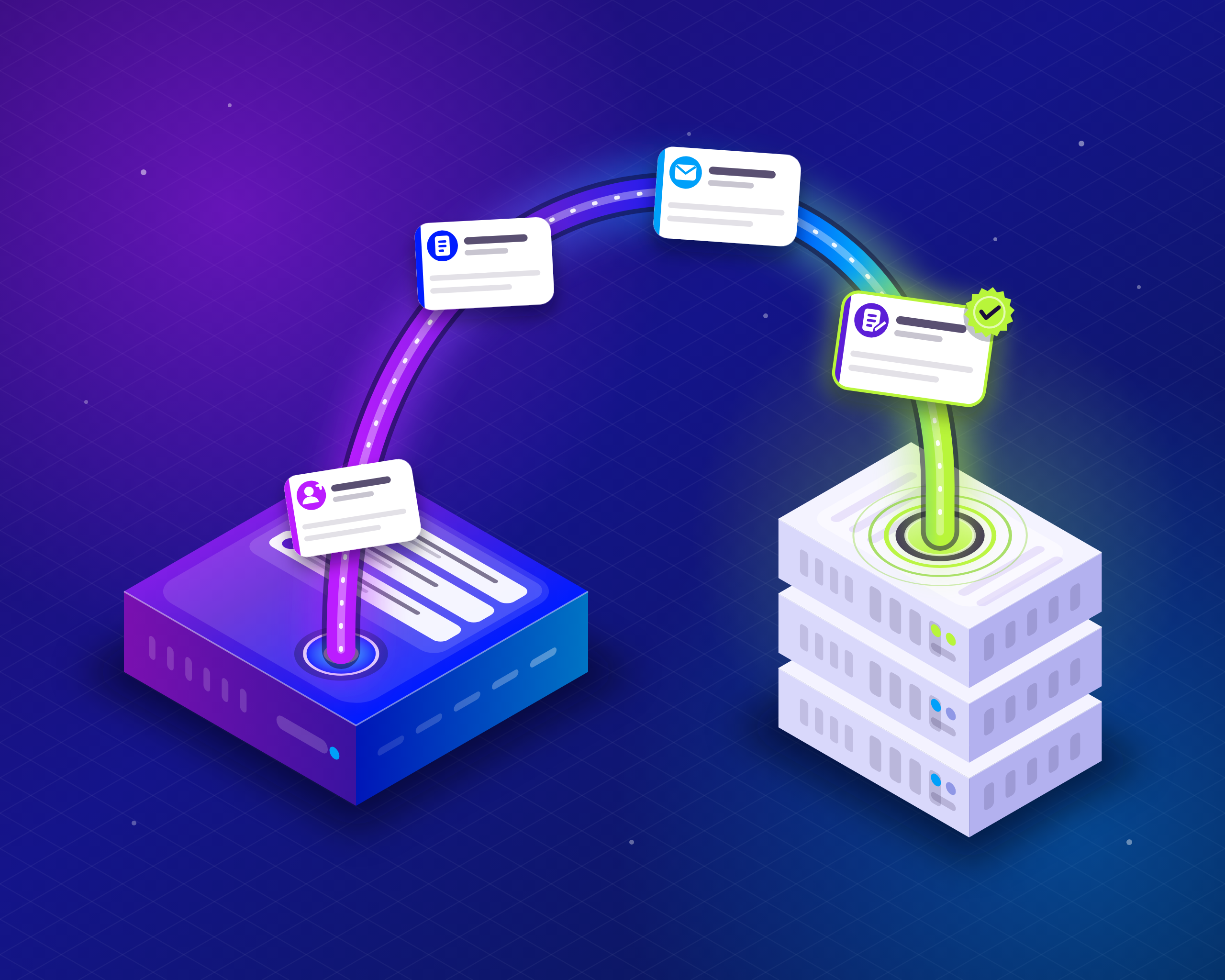
You can now send what happens in your Noticeable project straight to your own servers. Register a webhook endpoint, choose the events it cares about, and Noticeable posts each one to it within seconds of it happening. No more polling the API or exporting lists by hand.

What you can build with them

  • Keep your CRM in sync. Add a contact when someone subscribes to your emails, and update it when they unsubscribe.

  • Keep your lists clean. Flag an address in your own database as soon as an email to it hard bounces or is reported as spam.

  • React to your own announcements. Rebuild a static site, post to a chat channel or notify your support team when a publication is published, changed or deleted.

  • Keep a copy. Mirror your publications into another system, with the attributes that changed in each update.

Events you can receive

Events are grouped in two categories, and an endpoint receives only the ones you select.

Category

Events

Email subscriptions

Subscribed, Unsubscribed, Hard bounce, Soft bounce, Spam complaint, Spam complaint removed

Publications

Publication created, Publication updated, Publication deleted

Each event carries its details: the subscriber and where the subscription came from, the email that bounced or was reported, or the publication as it is after the change. More categories will join these over time.

Set up an endpoint

  1. Open your project in the dashboard and go to Integrations, then click Configure on the Webhooks card.

  2. Click New Endpoint, enter the https address of your server and select the events to send it.

  3. Save, and copy the signing secret shown. It is displayed only once.

  4. On the endpoint's Deliveries page, click Send test event to post a sample of any event to your server and check your code before real events arrive.

While you choose events, the page shows an example of the exact request your server will receive, so you know the shape of the payload before writing a line of code.

Reliable and secure by design

  • Signed requests. Every request is signed with the endpoint's secret, following the open Standard Webhooks specification. Verify them with any Standard Webhooks library, in the language of your servers. You can roll the secret at any time.

  • Automatic retries. When your server is down or answers with an error, the delivery is retried with growing delays for about three days. An endpoint that keeps failing is marked as failing in the dashboard so you notice it.

  • A delivery log. The Deliveries page of each endpoint lists what was sent, when, and how your server answered. Deliveries are kept for 30 days and you can find one by the webhook-id header your server received.

Avoid loops when you write back

Changes made through the API send events too, including your own. Say your server labels publications automatically: on each Publication updated, it reads the content and adds the Fix label through the API when the text mentions a bug. Adding a label is itself an update, so Noticeable sends a new Publication updated event, your server labels the publication again, and so on without end. A two-way sync between Noticeable and another tool runs into the same trap.

To break the loop, add a Noticeable-Reference header of your choice to your API calls, such as Noticeable-Reference: auto-labeler. Every event caused by those calls carries that value in data.request.reference, so your server can recognize its own changes and skip them:

if (event.data.request?.reference === 'auto-labeler') {
  return // our own change: nothing to do
}

Changes made by your team in the dashboard carry no reference, so they still reach your server as usual.

Availability

Webhooks are available today on paid plans, per project: 1 endpoint on Starter, 3 on Growth, 5 on Business and 10 on Enterprise. They are not included in the Free plan.

Already using our Zapier integration? Nothing changes: your Zaps keep working as before.

Open Dashboard

Did you like this update?

LikeNeutralDislike

Discord Integration

by Laurent Pellegrino, Founder and CEO
New
Integrations

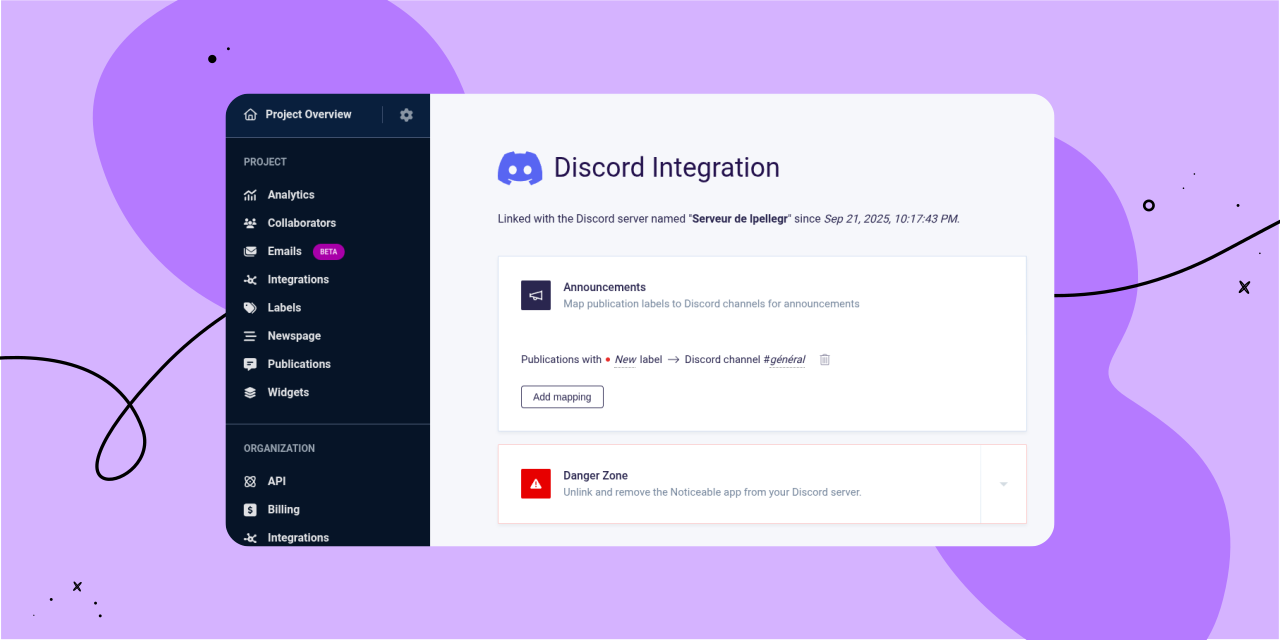
We’re excited to introduce our new native Discord integration, which allows you to connect a Discord server to each of your Noticeable projects. Once connected, you can configure which Discord channels will receive publication announcements, all based on your publication labels.

To get started with the new Discord integration, follow these steps:

  1. In the left-hand navigation under “Project,” click on the “Integrations” link.

  2. On the project integrations page, find “Discord” and click "Connect."

  3. After linking Discord, you’ll be redirected back to Noticeable, where you can set up a "mapping."

Mappings specify which Discord channel should receive publication announcements based on your publication labels. For example, you can set up a generic mapping that sends all publications to one channel, or configure a mapping that delivers only “New” publications to a specific channel.

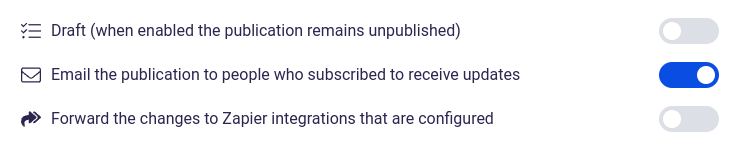
When you publish a new publication, you’ll see a new option in Step 3, “Summary,” called “Announce the publication on configured Discord channels." This option is automatically enabled if the draft status is removed and the publication hasn’t been announced on Discord yet.

As always, we’d love to hear your feedback!

Open Noticeable Dashboard

Did you like this update?

LikeNeutralDislike

Slack Integration

by Laurent Pellegrino, Founder and CEO
New
Integrations

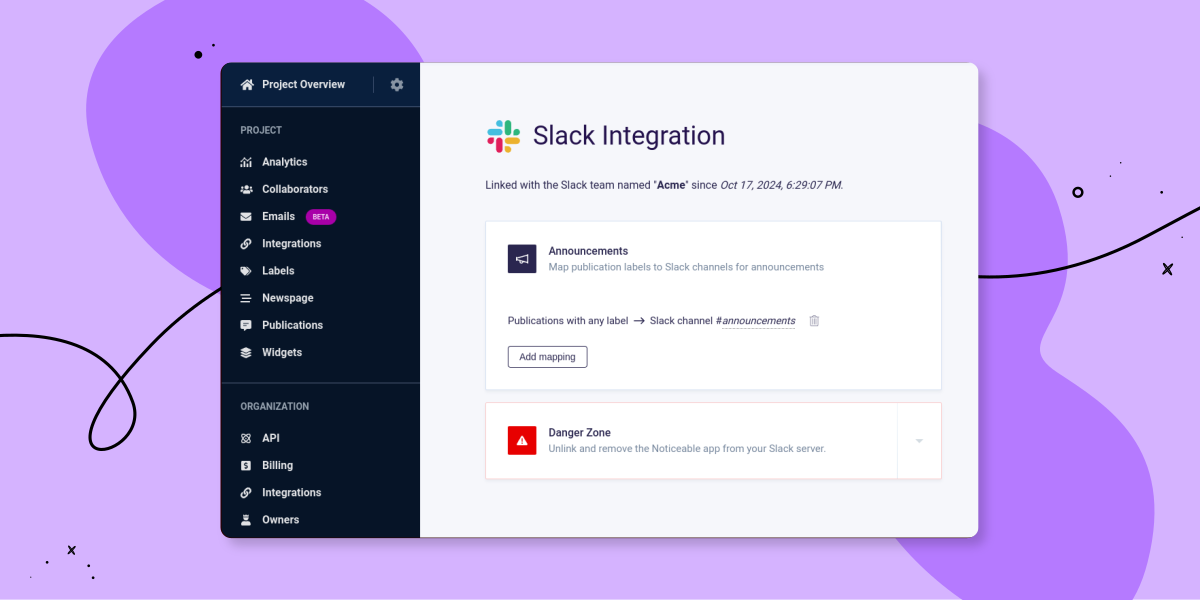
We’re excited to introduce our new native Slack integration, which allows you to connect a Slack workspace to each of your Noticeable projects. Once connected, you can configure which Slack channels will receive publication announcements, all based on your publication labels.

We’ve also made some changes to how integrations are presented. Some integrations, like Single Sign-On and Zapier, are still managed at the organization level, while some others, like Slack, are configured at the project level. That’s why you’ll find an “Integrations” link in the left-hand navigation both under “Project” and “Organization.”

To get started with the new Slack integration, follow these steps:

  1. In the left-hand navigation under “Project,” click on the “Integrations” link.

  2. On the project integrations page, find Slack and click "Connect."

  3. After linking Slack, you’ll be redirected back to Noticeable, where you can set up a "mapping."

Mappings define which Slack channel should receive publication announcements based on the labels of your publications. For instance, you can create a generic mapping to send all publications, regardless of their labels, to a designated Slack channel.

When you publish a new publication, you’ll see a new option in Step 3, “Summary,” called “Announce the publication on configured Slack channels." This option is automatically enabled if the draft status is removed and the publication hasn’t been announced on Slack yet.

As always, we’d love to hear your feedback!

Open Noticeable dashboard

Did you like this update?

LikeNeutralDislike

{error_message}

Leave your name and email so that we can reply to you (both fields are optional):

Thanks for your feedback!

Email Sending is Now in Beta!

by Laurent Pellegrino, Founder and CEO
Announcement

We’re excited to announce that our email sending feature, which was initially launched last year in private preview and later moved to public preview, has now reached the beta stage!

Over the past months, we’ve been working relentlessly to scale and improve the platform to ensure a smooth, feature-rich experience for our users. We have also been laying the groundwork for some exciting upcoming additions.

Here's a rundown of the key features now available in the email sending beta:

  • 📧 Effortlessly send emails to your subscribers with just one click.

  • 🔍 Send a preview email to yourself or your team before dispatching to everyone.

  • 📊 Manage subscribers directly from our dashboard or via the Noticeable API.

  • 💾 Export your subscribers to a CSV file.

  • ⚡️ Utilize Zapier to automate subscription-related tasks.

  • 🎨 Customize the email sender's name, reply-to address, and header logo.

  • 🌐 Set up a custom domain for your "from" email address.

  • 🔗 Choose whether to track link clicks and/or email opens.

  • 📋 Access detailed information about email dispatches and their senders.

  • 🔐 Benefit from both double opt-in and single opt-in support.

  • 📈 Analyze in-depth statistics on each email dispatch, including soft bounces, hard bounces, spam complaints, opens, etc.

  • 📪 Enjoy automatic email unsubscription for hard bounces and spam complaints.

Stay tuned, as we have more amazing features coming soon!

We always welcome and value your feedback. If you have any suggestions or are interested in a specific feature, please don't hesitate to share your thoughts below.

Open dashboard

Did you like this update?

LikeNeutralDislike

{error_message}

Leave your name and email so that we can reply to you (both fields are optional):

Thanks for your feedback!

Deprecations for December 24, 2022

by Laurent Pellegrino, Founder and CEO
Announcement

We are writing to inform you that several fields, mutations, queries, and types in our GraphQL API and Zapier integration have been deprecated and will be replaced with their equivalent after May 21, 2023.

GraphQL API

  • The argument id has been renamed to projectId in project query.

  • The field creationTime has been renamed to createdAt.

  • The field posts in Project type has been renamed to publications.

  • The field updateTime has been renamed to updatedAt.

  • The mutation named createPost has been renamed to createPublication.

  • The mutation named deletePost has been renamed to deletePublication.

  • The mutation named updatePost has been renamed to updatePublication.

  • The query named post has been renamed to publication.

Zapier Integration

  • The output field with the key creationTime has been renamed to createdAt.

  • The output field with the key updateTime has been renamed to updatedAt.

  • The output field with the key publicationTime has been renamed to publishedAt.

Please make sure to update your code or integrations to reflect these changes to avoid any disruptions.

If you have any questions or concerns, don’t hesitate to leave a comment or contact us directly.

Have a great holiday season! 🎄

Did you like this update?

LikeNeutralDislike

{error_message}

Leave your name and email so that we can reply to you (both fields are optional):

Thanks for your feedback!

Announcing Native Email Sending

by Laurent Pellegrino, Founder and CEO
Announcement
Preview

We’re excited to announce native email sending.

You are wondering what is behind this announcement? that’s the ability to forward Noticeable publications to your subscribers by email in one click:

Our goal is to make the publication of your updates but also the management of your audience easier.

Native email sending is currently under development. A minimal set of features is available at this time but we’re actively working on expanding the scope.

You can request access by clicking on the button below or dropping us a line by mail. Note that only customers on a paid plan and with an active subscription are accepted to join the preview.

Request Access

Did you like this update?

LikeNeutralDislike

{error_message}

Leave your name and email so that we can reply to you (both fields are optional):

Thanks for your feedback!

A quick look back at 2021

by Laurent Pellegrino, Founder and CEO
Announcement

So long, 2021! It was marked by productivity and growth. If we had to sum this year up in a few words, here’s what we’d say: more features, better user experiences, and even more success stories.

Here are some of the most important highlights of the year 🎉:

  • New Dashboard

    Last year, our dashboard took a step forward with a more intuitive, fresh, and easier-to-navigate interface. We also released analytics, developed a rich text editor, a live widget editor, added support for Call-To-Actions (CTA), implemented notification preferences, and many other customization options.

  • New Widgets and JavaScript SDK

    In 2021, we released a new version of the popup widget but also new modal and top-banner widgets. More layouts for more use cases and better product updates placement.

    Additionally, we also added support for code injection in widgets and the new JavaScript SDK makes use of the standard Web platform with a concise API that enables events support and cross-device synchronization.

  • Single Sign-On (SSO)

    Early last year we launched support for SSO. Our implementation supports OIDC and SAML industry-standard protocols. SSO reduces chances of hacks by only requiring one set of credentials and only logging each user in once per day. We also created an integration to appear in the Okta catalog for easier usage.

  • Improved Newspages

    2021 was also the opportunity to bring several enhancements and features to Newspages. This includes support for private Newspages to restrict accesses with a shared secret or by IP addresses, but also Right-to-left (RTL) support with Newspages and Widgets.

And many other amazing features!

Thank you!

This year Noticeable helped more businesses around the globe to engage and keep their users updated. Among them are Airfair, Checkout, Firstbase, Huggy, IBM, Lytx, Nylas, Picdrop, Pipplet, Synthesia, Testlodge, and more.

For the sake of every user, we’re committed to making Noticeable the best changelog as a service but we couldn’t do it without your support. Your feedback and suggestions were a valuable resource for the improvements we made in 2021, and they will continue to drive our roadmap this year.

We’d love to continue hearing from you in 2022! If you want to say a quick hello or drop a few suggestions, drop a line below, send us a message on Twitter or by email.

From the whole team at Noticeable, we want to wish you a great year ahead!

Did you like this update?

LikeNeutralDislike

{error_message}

Leave your name and email so that we can reply to you (both fields are optional):

Thanks for your feedback!

Updates to the Noticeable Subprocessors list

by Laurent Pellegrino, Founder and CEO
Announcement

Effective October 18, 2021, we are adding the following Subprocessors:

AWS is added for some features we will introduce in the future.

Regarding MongoDB and Redis we already have on-premise instances hosted and running on Google Cloud Platform (GCP). Starting October 18, 2021, instances will remain hosted on GCP but fully managed by MongoDB Atlas and Redis Cloud.

Our page listing service-providers has been updated in consequence:
https://noticeable.io/service-providers

Did you like this update?

LikeNeutralDislike

{error_message}

Leave your name and email so that we can reply to you (both fields are optional):

Thanks for your feedback!

Changes to our Terms and Privacy

by Laurent Pellegrino, Founder and CEO
Announcement

We’re updating our Terms and Privacy policy. The purpose is to clarify and simplify our statements while providing more transparency. The new Terms and Privacy is effective as of Today for new accounts and will take effect on July 8, 2021, for accounts created before this announcement.

As part of the changes, we are also adding Ipregistry to our list of subprocessors for Analytics purposes. Ipregistry is based in France and is GDPR compliant.

By continuing to use Noticeable after July 8, 2021, you agree to these changes.

Note that you are not affected by these changes if you are an Enterprise customer bound to us with custom terms.

Did you like this update?

LikeNeutralDislike

{error_message}

Leave your name and email so that we can reply to you (both fields are optional):

Thanks for your feedback!