Noticeable Updates

Revision history: see what changed in a publication, and bring back an earlier version

by Laurent Pellegrino, Founder and CEO
New

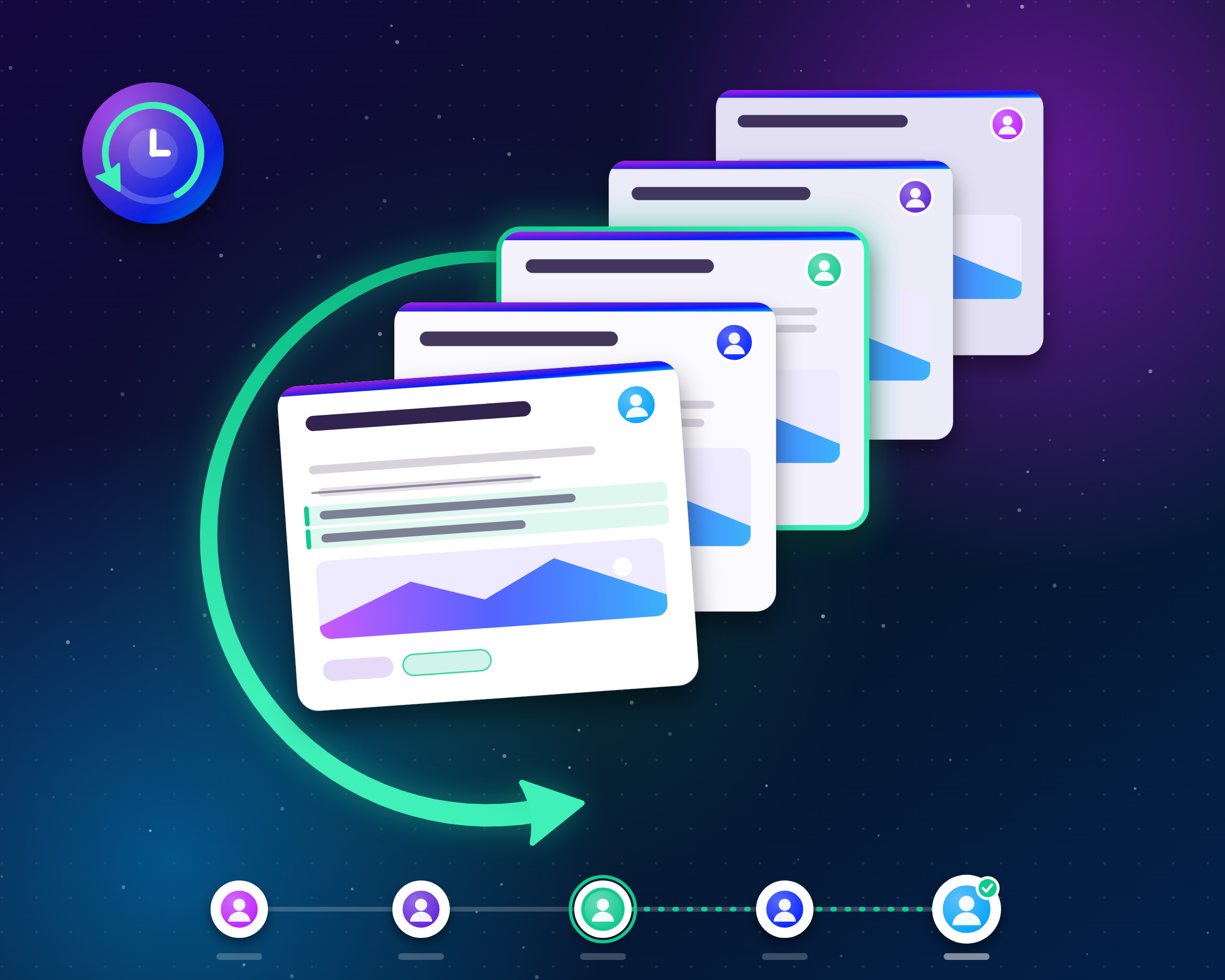
A paragraph deleted by mistake, an integration overwriting a publication, a change you want to take back: until now, an edit was final. Publications now keep a history of their changes. You can see who changed what, compare any revision with the current version, and bring an earlier one back in one click.

How it works

Open a publication in the editor and click the Revisions button at the end of the toolbar. The panel lists the revisions of the publication, newest first, each with its author and time. Click one to view it: the changes against the current version are highlighted in place, text added, removed or reformatted, and the panel tells you when the title, labels or featured image changed as well.

Restoring a revision brings back its title, content, labels and featured image. The version you replace stays in the history, so restoring is never a one-way door. If the publication is published, the restored content goes live immediately, like any other edit.

What gets recorded

  • Changes from everywhere: Edits made in the dashboard, through the API or by integrations such as Zapier are all recorded. Edits made with an access token appear under the token's name, so you always know who, or what, changed a publication.

  • One revision per editing session, not one per keystroke: The dashboard saves as you type, so saves by the same person less than 15 minutes apart are folded into a single revision, for up to an hour. A different author, or a longer pause, starts a new one. Your history stays readable.

  • Milestones always get their own entry: Publishing or restoring a publication records a revision of its own, a clean restore point at the moments that matter.

  • The earliest version is kept for good: A publication keeps its 100 most recent revisions plus the earliest one, so you can always go back to where it started.

Availability

Revision history is recorded for every project starting today, for drafts and published publications alike. Viewing revisions, comparing changes and restoring a revision is included in the Business and Enterprise plans.

Open Dashboard

Did you like this update?

LikeNeutralDislike

Emails is out of beta!

by Laurent Pellegrino, Founder and CEO
New
Enhancement

We know it took a while but we shipped a lot:

  • Custom email templates: make your publication and subscription emails match your brand from Emails > Templates. Edit visually, personalize with the reader's name, preview with a real publication, send yourself a test, and restore any previous version. Available starting with the Business plan.

  • Reputation: your sending reputation is now isolated from other customers, so their issues can no longer affect your emails. See at a glance how many emails you sent each day over the last 30 days, along with bounces and spam reports, and get guidance when something needs attention.

  • Suppression list: see which addresses no longer receive your emails and why, add or remove addresses, and export the list from the Noticeable dashboard.

  • Subscribers: add and edit subscribers from the dashboard.

  • Tracking consent: you can now ask subscribers for their consent before tracking opens and clicks, as recent GDPR guidance requires. The option to enable is under Emails > Settings > Email customization > Require subscriber consent for tracking.

  • More accurate open rates, better deliverability, and large mailings reach every subscriber exactly once.

but that’s not all:

  • No more $0 invoices on the Free plan.

  • Clearer messages when sign-in fails; single sign-on teams go straight to their company login.

  • The dashboard is faster and more dependable, thanks to a rebuild of our foundations.

Open Dashboard

Did you like this update?

LikeNeutralDislike

{error_message}

Leave your name and email so that we can reply to you (both fields are optional):

Thanks for your feedback!

Updates for March 31, 2026

by Laurent Pellegrino, Founder and CEO
Enhancement
  • The Noticeable dashboard has been modernized, with consistent styling applied across all pages.

  • The email subscribers page now indicates whether each subscriber is subscribed to all publications or only specific labels. Clicking on a subscriber shows detailed information, including the labels they are subscribed to.

  • The main Noticeable database has been migrated to a higher-capacity instance, now colocated with the running services. This results in significantly improved latency, especially for users in Europe.

Did you like this update?

LikeNeutralDislike

Updates for February 14, 2026

by Laurent Pellegrino, Founder and CEO
New
Enhancement
  • Analytics and project overview dashboards now offer a 365-day time range, providing a clearer long-term view of activity and trends:

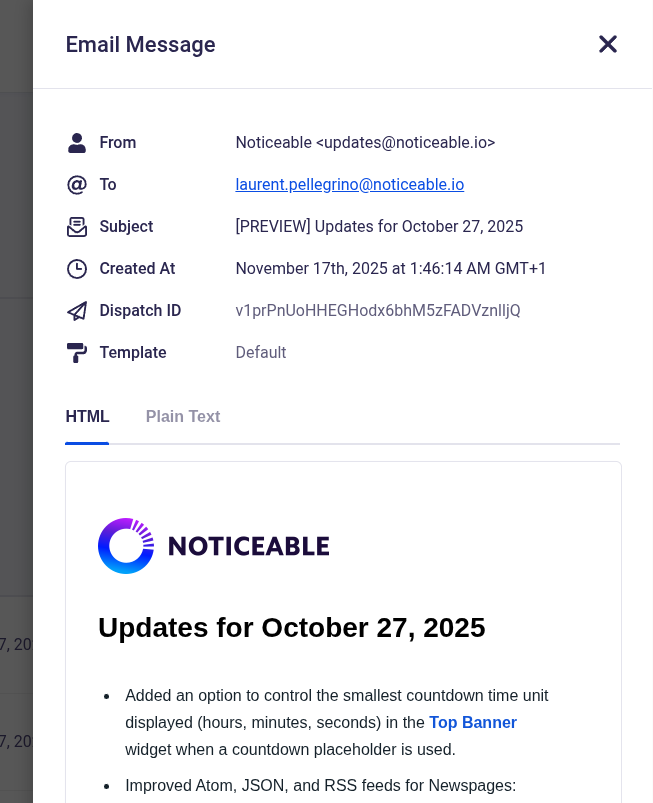
  • The Email Events page now provides an option to view the outbound email content sent to each recipient, including both HTML and plain text versions:

  • All publications created via the API that contain Markdown links now automatically include target="_blank" and rel="noopener noreferrer" attributes by default.

  • Support for custom attributes has also been added through an extended Markdown syntax:

    [Link text](https://example.com){rel="nofollow" target=_self}
  • Added a “Didn’t request this?” link to confirmation emails sent during the double opt-in subscription process.

  • Some dashboard pages now use skeleton loaders instead of the animated three-dot indicator, providing a smoother and more immediate loading experience.

  • Added support for embedding videos hosted on Droplr.

Did you like this update?

LikeNeutralDislike

Updates for October 27, 2025

by Laurent Pellegrino, Founder and CEO
Enhancement
  • Added an option to control the smallest countdown time unit displayed (hours, minutes, seconds) in the Top Banner widget when a countdown placeholder is used.

  • Improved Atom, JSON, and RSS feeds for Newspages:

    • New query parameters: after (cursor) and limit (max 100) for all feeds. By default up to 10 publications are returned on any feed.

    • Cursor-based navigation for reliable pagination through publications:

      • Atom/RSS: RFC 5005 compliant with first, next, previous link relations.

      • JSON Feed: Spec-compliant with next_url field.

  • Fixed a long-standing inversion between UTM medium and source definitions. Channel identifiers (email, widget, etc.) are now correctly assigned to UtmSource, and UtmMedium is set to noticeable.
    The fix was deployed on September 21, 2025, and may affect your analytics statistics.

  • Enhanced internal database queries, improving Newspage rendering times in certain edge cases.

  • Updated documentation related to custom endpoints.

Open Dashboard

Did you like this update?

LikeNeutralDislike

Discord Integration

by Laurent Pellegrino, Founder and CEO
New
Integrations

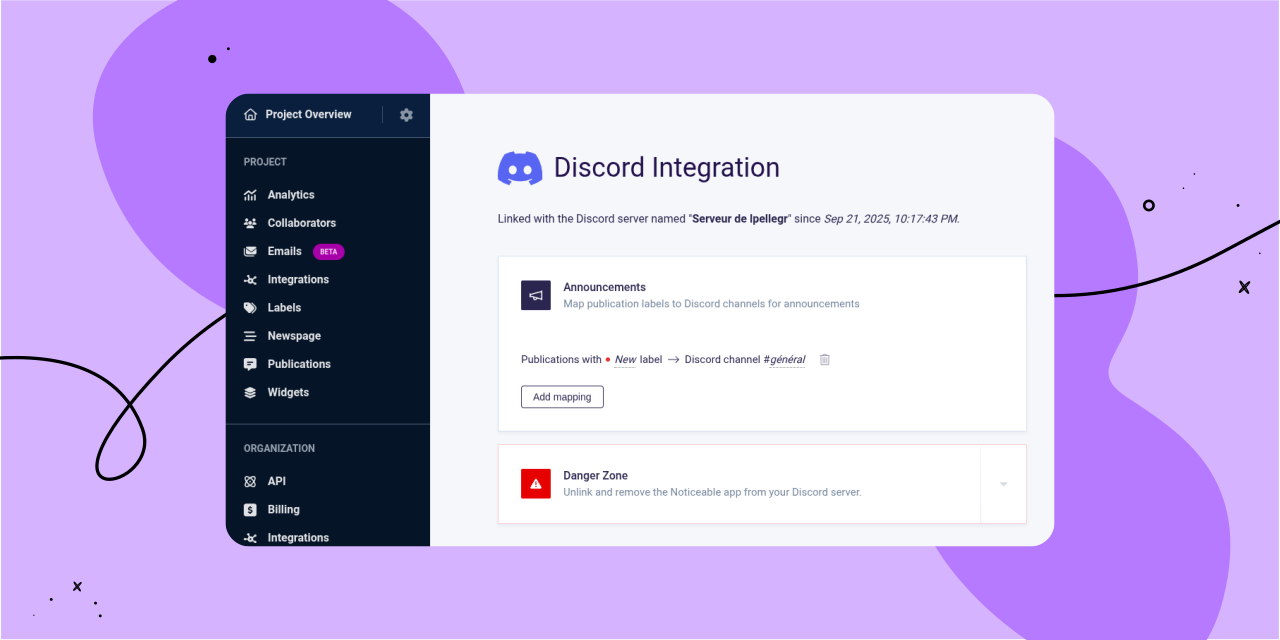
We’re excited to introduce our new native Discord integration, which allows you to connect a Discord server to each of your Noticeable projects. Once connected, you can configure which Discord channels will receive publication announcements, all based on your publication labels.

To get started with the new Discord integration, follow these steps:

  1. In the left-hand navigation under “Project,” click on the “Integrations” link.

  2. On the project integrations page, find “Discord” and click "Connect."

  3. After linking Discord, you’ll be redirected back to Noticeable, where you can set up a "mapping."

Mappings specify which Discord channel should receive publication announcements based on your publication labels. For example, you can set up a generic mapping that sends all publications to one channel, or configure a mapping that delivers only “New” publications to a specific channel.

When you publish a new publication, you’ll see a new option in Step 3, “Summary,” called “Announce the publication on configured Discord channels." This option is automatically enabled if the draft status is removed and the publication hasn’t been announced on Discord yet.

As always, we’d love to hear your feedback!

Open Noticeable Dashboard

Did you like this update?

LikeNeutralDislike

Updates for May 5, 2025

by Laurent Pellegrino, Founder and CEO
Enhancement

We’ve updated how view counts are measured on Noticeable Newspages.

Previously, each page load counted as a view, including traffic from bots and crawlers. Starting on May 3, 2025, at 11:00 AM UTC+2, traffic from most bots and spiders should no longer contribute to page or publication views.

If your Newspage displays full publication content on the home page, every publication shown will register a view when the page loads. If only excerpts are displayed, a publication view is counted only when a user opens the full publication.

Did you like this update?

LikeNeutralDislike

Newspages and Widgets UI Localization

by Laurent Pellegrino, Founder and CEO
Enhancement
Newspage
Widgets

Newspages and Widgets user interfaces now automatically use your project’s configured language if it is one of the supported locales, or fall back to English.

Here are supported locales:

  • Arabic (ar-SA)

  • Chinese (Simplified) (zh-CN)

  • Dutch (nl-NL)

  • English (en-US)

  • French (fr-FR)

  • German (de-DE)

  • Italian (it-IT)

  • Japanese (ja-JP)

  • Korean (ko-KR)

  • Portuguese (pt-BR)

  • Russian (ru-RU)

  • Spanish (es-ES)

  • Turkish (tr-TR)

You can still customize all phrases as desired if one translation does not fit your needs. It’s a time saver for new and existing projects, since you no longer have to manage UI translations for new phrases we introduce over time.

Note that on Newspages, you can now remove the “All publications” link from the side menu by setting the phrase with key menu.all_publications_link_label to an empty value while customizing Newspage phrases.

Did you like this update?

LikeNeutralDislike

{error_message}

Leave your name and email so that we can reply to you (both fields are optional):

Thanks for your feedback!

Customizable End-User Email Subscription Options

by Laurent Pellegrino, Founder and CEO
New
Newspage

Over the past few months, we completely reworked our Newspages backend, which went live on March 25, 2025.

This upgrade boosts scalability and enables customizable email communication settings.

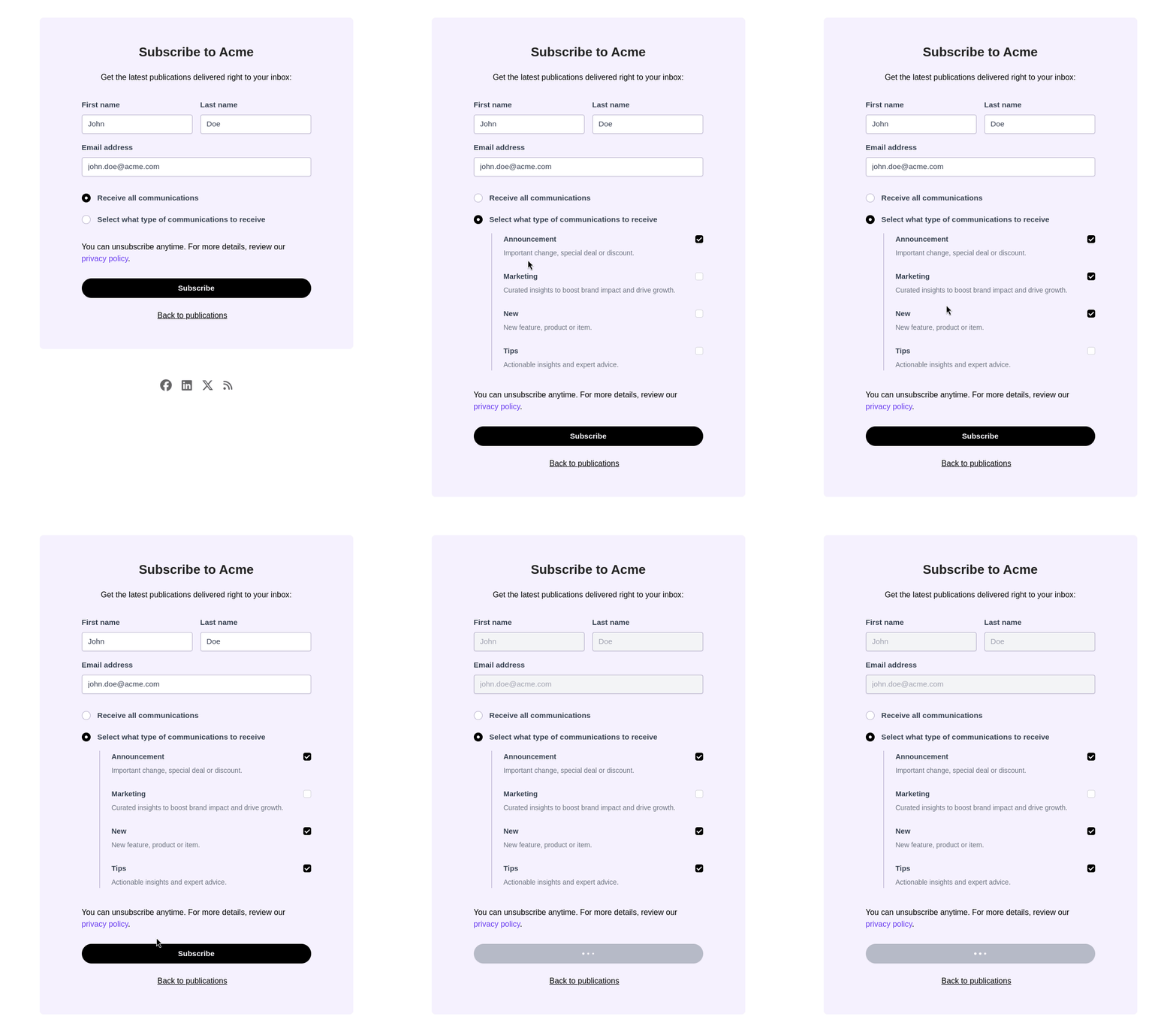
Now, when your end-users subscribe by email, they can choose to receive either all your email communications or only publications related to specific labels:

End-users can also update this preference when editing their email subscription through the email preferences link included in every message we send on your behalf.

Did you like this update?

LikeNeutralDislike

{error_message}

Leave your name and email so that we can reply to you (both fields are optional):

Thanks for your feedback!