Noticeable Updates

Webhooks: get Noticeable events on your own servers

by Laurent Pellegrino, Founder and CEO
New
Integrations

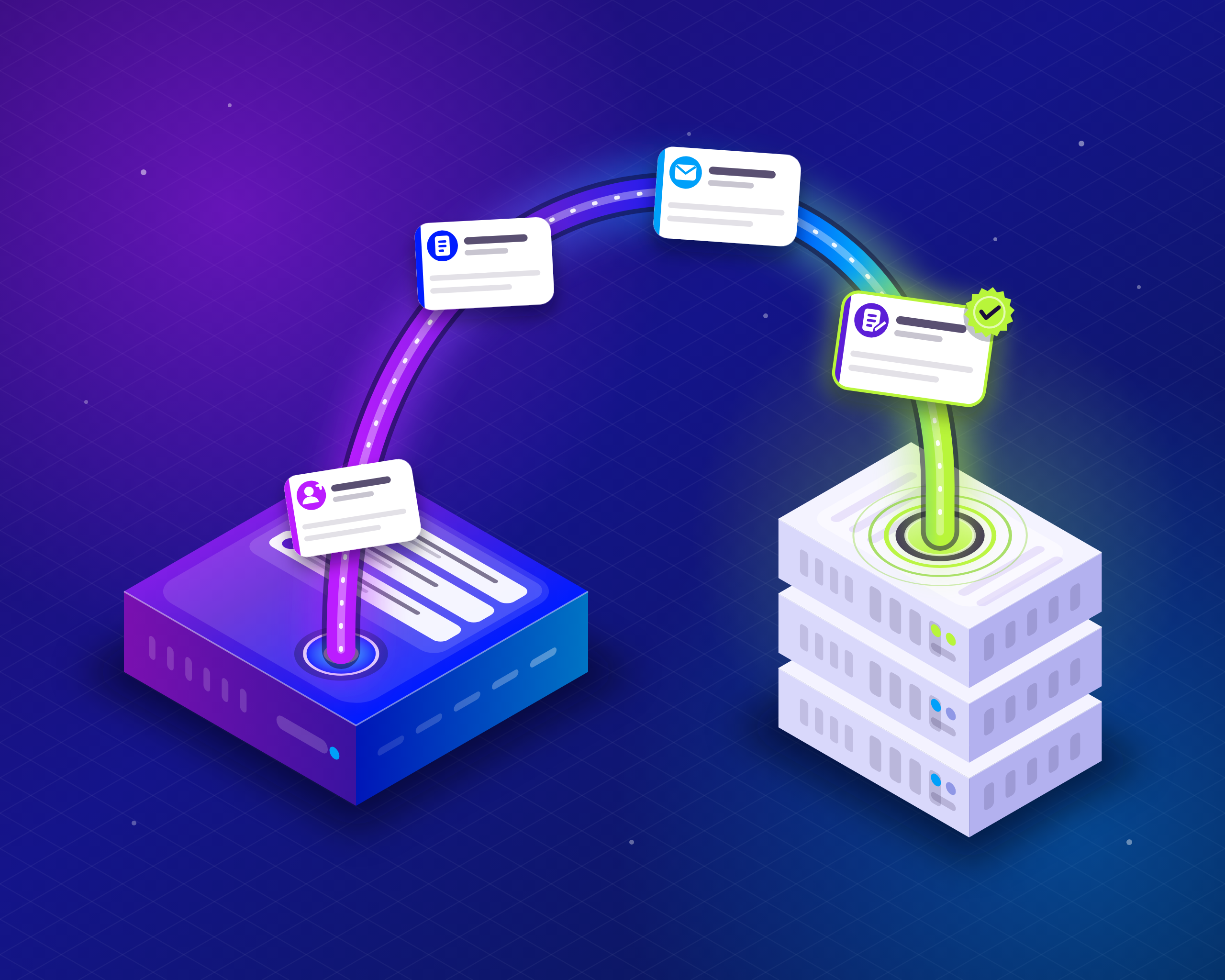
You can now send what happens in your Noticeable project straight to your own servers. Register a webhook endpoint, choose the events it cares about, and Noticeable posts each one to it within seconds of it happening. No more polling the API or exporting lists by hand.

What you can build with them

  • Keep your CRM in sync. Add a contact when someone subscribes to your emails, and update it when they unsubscribe.

  • Keep your lists clean. Flag an address in your own database as soon as an email to it hard bounces or is reported as spam.

  • React to your own announcements. Rebuild a static site, post to a chat channel or notify your support team when a publication is published, changed or deleted.

  • Keep a copy. Mirror your publications into another system, with the attributes that changed in each update.

Events you can receive

Events are grouped in two categories, and an endpoint receives only the ones you select.

Category

Events

Email subscriptions

Subscribed, Unsubscribed, Hard bounce, Soft bounce, Spam complaint, Spam complaint removed

Publications

Publication created, Publication updated, Publication deleted

Each event carries its details: the subscriber and where the subscription came from, the email that bounced or was reported, or the publication as it is after the change. More categories will join these over time.

Set up an endpoint

  1. Open your project in the dashboard and go to Integrations, then click Configure on the Webhooks card.

  2. Click New Endpoint, enter the https address of your server and select the events to send it.

  3. Save, and copy the signing secret shown. It is displayed only once.

  4. On the endpoint's Deliveries page, click Send test event to post a sample of any event to your server and check your code before real events arrive.

While you choose events, the page shows an example of the exact request your server will receive, so you know the shape of the payload before writing a line of code.

Reliable and secure by design

  • Signed requests. Every request is signed with the endpoint's secret, following the open Standard Webhooks specification. Verify them with any Standard Webhooks library, in the language of your servers. You can roll the secret at any time.

  • Automatic retries. When your server is down or answers with an error, the delivery is retried with growing delays for about three days. An endpoint that keeps failing is marked as failing in the dashboard so you notice it.

  • A delivery log. The Deliveries page of each endpoint lists what was sent, when, and how your server answered. Deliveries are kept for 30 days and you can find one by the webhook-id header your server received.

Avoid loops when you write back

Changes made through the API send events too, including your own. Say your server labels publications automatically: on each Publication updated, it reads the content and adds the Fix label through the API when the text mentions a bug. Adding a label is itself an update, so Noticeable sends a new Publication updated event, your server labels the publication again, and so on without end. A two-way sync between Noticeable and another tool runs into the same trap.

To break the loop, add a Noticeable-Reference header of your choice to your API calls, such as Noticeable-Reference: auto-labeler. Every event caused by those calls carries that value in data.request.reference, so your server can recognize its own changes and skip them:

if (event.data.request?.reference === 'auto-labeler') {
  return // our own change: nothing to do
}

Changes made by your team in the dashboard carry no reference, so they still reach your server as usual.

Availability

Webhooks are available today on paid plans, per project: 1 endpoint on Starter, 3 on Growth, 5 on Business and 10 on Enterprise. They are not included in the Free plan.

Already using our Zapier integration? Nothing changes: your Zaps keep working as before.

Open Dashboard

Did you like this update?

LikeNeutralDislike

Discord Integration

by Laurent Pellegrino, Founder and CEO
New
Integrations

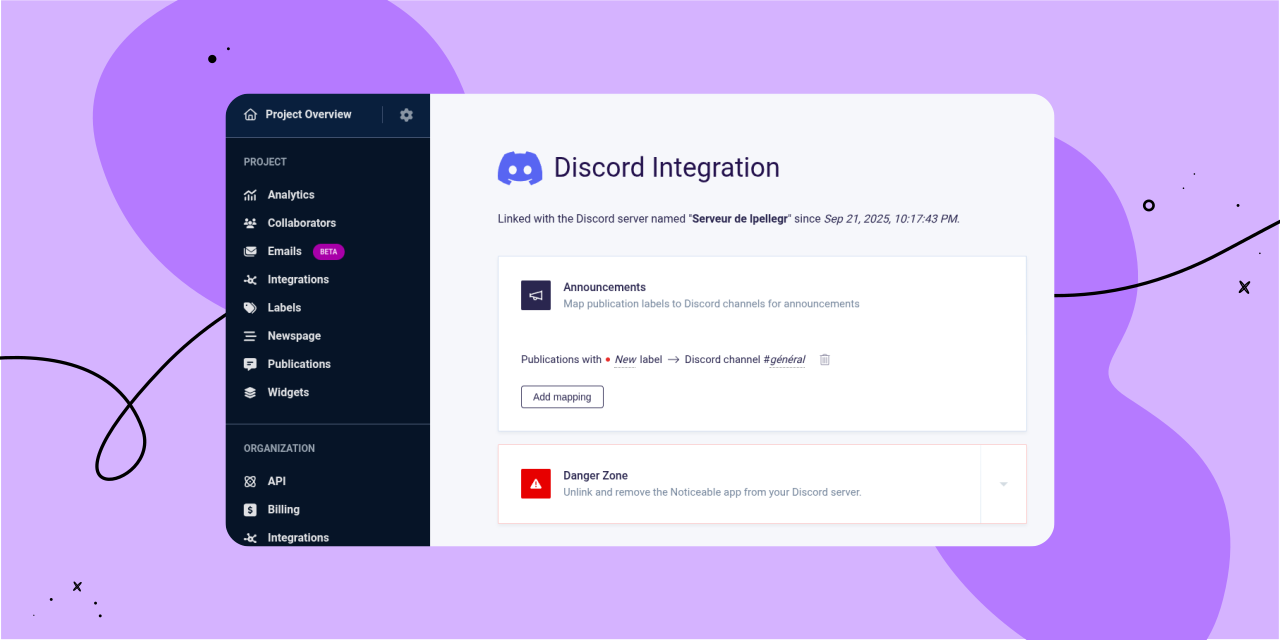
We’re excited to introduce our new native Discord integration, which allows you to connect a Discord server to each of your Noticeable projects. Once connected, you can configure which Discord channels will receive publication announcements, all based on your publication labels.

To get started with the new Discord integration, follow these steps:

  1. In the left-hand navigation under “Project,” click on the “Integrations” link.

  2. On the project integrations page, find “Discord” and click "Connect."

  3. After linking Discord, you’ll be redirected back to Noticeable, where you can set up a "mapping."

Mappings specify which Discord channel should receive publication announcements based on your publication labels. For example, you can set up a generic mapping that sends all publications to one channel, or configure a mapping that delivers only “New” publications to a specific channel.

When you publish a new publication, you’ll see a new option in Step 3, “Summary,” called “Announce the publication on configured Discord channels." This option is automatically enabled if the draft status is removed and the publication hasn’t been announced on Discord yet.

As always, we’d love to hear your feedback!

Open Noticeable Dashboard

Did you like this update?

LikeNeutralDislike

Newspages and Widgets UI Localization

by Laurent Pellegrino, Founder and CEO
Enhancement
Newspage
Widgets

Newspages and Widgets user interfaces now automatically use your project’s configured language if it is one of the supported locales, or fall back to English.

Here are supported locales:

  • Arabic (ar-SA)

  • Chinese (Simplified) (zh-CN)

  • Dutch (nl-NL)

  • English (en-US)

  • French (fr-FR)

  • German (de-DE)

  • Italian (it-IT)

  • Japanese (ja-JP)

  • Korean (ko-KR)

  • Portuguese (pt-BR)

  • Russian (ru-RU)

  • Spanish (es-ES)

  • Turkish (tr-TR)

You can still customize all phrases as desired if one translation does not fit your needs. It’s a time saver for new and existing projects, since you no longer have to manage UI translations for new phrases we introduce over time.

Note that on Newspages, you can now remove the “All publications” link from the side menu by setting the phrase with key menu.all_publications_link_label to an empty value while customizing Newspage phrases.

Did you like this update?

LikeNeutralDislike

{error_message}

Leave your name and email so that we can reply to you (both fields are optional):

Thanks for your feedback!

Slack Integration

by Laurent Pellegrino, Founder and CEO
New
Integrations

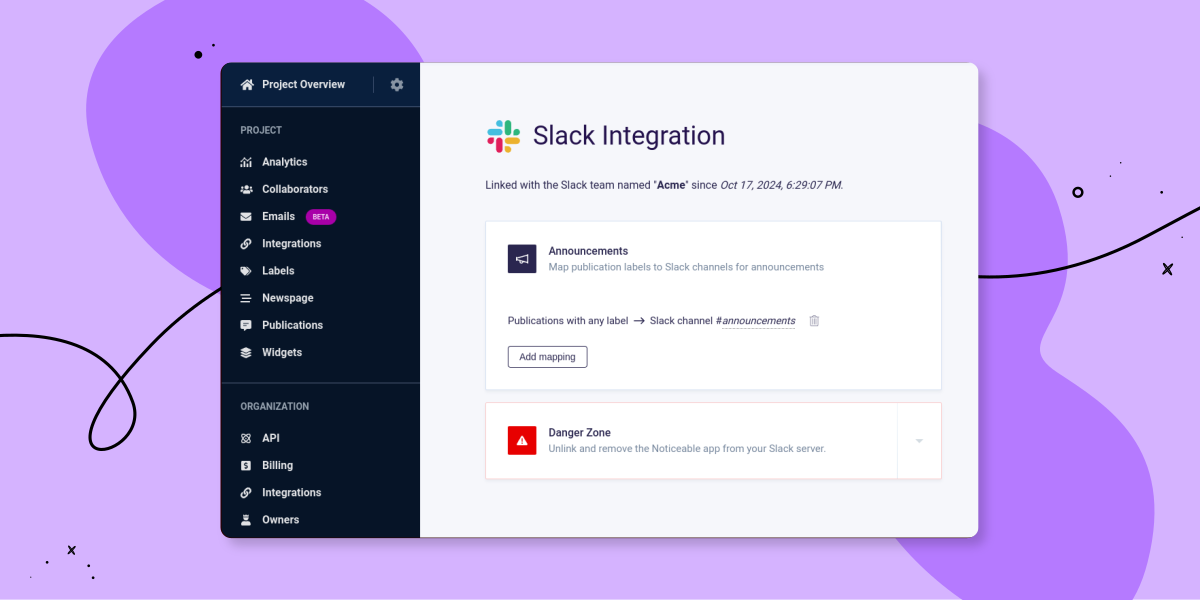
We’re excited to introduce our new native Slack integration, which allows you to connect a Slack workspace to each of your Noticeable projects. Once connected, you can configure which Slack channels will receive publication announcements, all based on your publication labels.

We’ve also made some changes to how integrations are presented. Some integrations, like Single Sign-On and Zapier, are still managed at the organization level, while some others, like Slack, are configured at the project level. That’s why you’ll find an “Integrations” link in the left-hand navigation both under “Project” and “Organization.”

To get started with the new Slack integration, follow these steps:

  1. In the left-hand navigation under “Project,” click on the “Integrations” link.

  2. On the project integrations page, find Slack and click "Connect."

  3. After linking Slack, you’ll be redirected back to Noticeable, where you can set up a "mapping."

Mappings define which Slack channel should receive publication announcements based on the labels of your publications. For instance, you can create a generic mapping to send all publications, regardless of their labels, to a designated Slack channel.

When you publish a new publication, you’ll see a new option in Step 3, “Summary,” called “Announce the publication on configured Slack channels." This option is automatically enabled if the draft status is removed and the publication hasn’t been announced on Slack yet.

As always, we’d love to hear your feedback!

Open Noticeable dashboard

Did you like this update?

LikeNeutralDislike

{error_message}

Leave your name and email so that we can reply to you (both fields are optional):

Thanks for your feedback!

End User Authentication for Widgets

by Laurent Pellegrino, Founder and CEO
New
Widgets

We’re excited to introduce end user authentication with Noticeable widgets.

End user authentication is a feature you can optionally integrate to verify the identities of your end users. This ensures that when end users engage with widgets, such as commenting, their identity is confirmed and secure from impersonation.

How does it function?

Noticeable employs Single Sign-On (SSO) tokens for this authentication process:

  1. On your server(s) side, you create an SSO token for each end user (using a secret we share).

  2. You pass this SSO token with our Javascript SDK before rendering any widget.

  3. Voilà! Your end user's identity is now securely authenticated with Noticeable widgets.

Note: While it's still possible to pass end user traits using our Javascript SDK as outlined in our various identification methods, this approach is no longer recommended.

Read more

Did you like this update?

LikeNeutralDislike

{error_message}

Leave your name and email so that we can reply to you (both fields are optional):

Thanks for your feedback!

Modal Widget

by Laurent Pellegrino, Founder and CEO
New
Widgets

We did it! You now have access to a whole new type of widget: the modal one.

Using a modal widget, you can announce your product changes or deals in front of your users. In contrary to the popup or top banner widget, full publications content is displayed when the widget is opened.

As a trigger to open a modal widget you can select among the ones we already propose with other widgets: custom, floating button, icon, text + badge, or none.

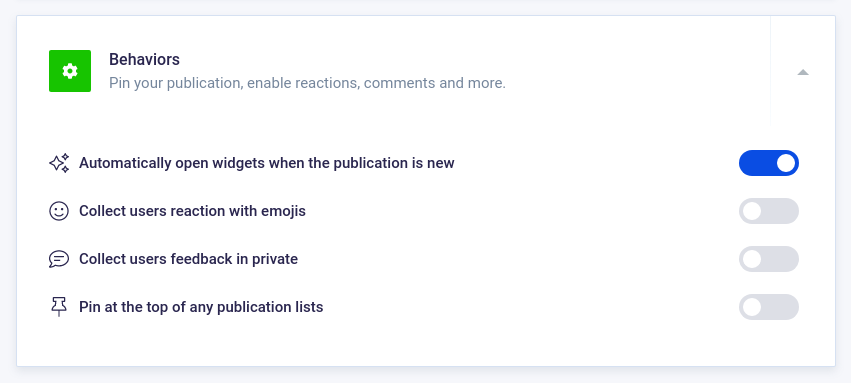
If you prefer to use no triggers and automatically open a modal widget when you publish a new publication, that’s possible. To do so, while editing a publication on step 2, “Options”, enable the switch option “Automatically open widgets when the publication is new”:

Did you like this update?

LikeNeutralDislike

{error_message}

Leave your name and email so that we can reply to you (both fields are optional):

Thanks for your feedback!

Top Banner Widget

by Laurent Pellegrino, Founder and CEO
New
Widgets

Great news! We’ve released a new widget.

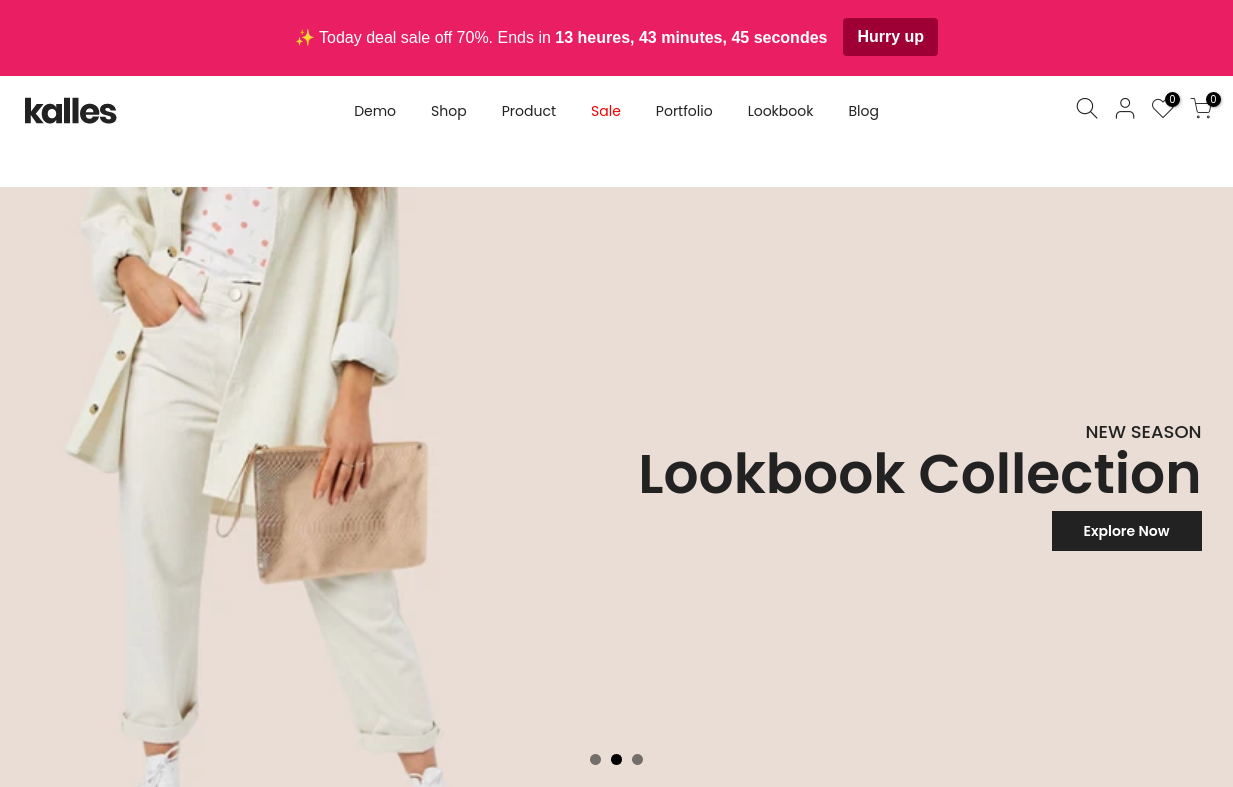
The new Top Banner widget allows you to tell people about your latest updates, promotions, discounts, maintenances or even keep users updated about ongoing issues.


As with other widgets, you can configure the style and behavior of the Top Banner widget directly from our live editor without coding knowledge. More than 40 properties are configurable!

The widget layout is quite flexible in the sense that you can either set a title, title + description, Call-To-Action (CTA), and even include a countdown to promote limited offers. Metrics such as the number of views and CTA clicks are also collected.

Learn more

Did you like this update?

LikeNeutralDislike

{error_message}

Leave your name and email so that we can reply to you (both fields are optional):

Thanks for your feedback!

Okta Integration

by Laurent Pellegrino, Founder and CEO
New
Integrations

In early February, we launched support for Single Sign-On (SSO). Today, we are going further and are proud to provide an official integration with Okta: Noticeable appears in the Okta catalog as a verified app with OIDC and SAML support.

One of the main targets for cyber-criminals is your username and password. Each time you log in to a new application, it provides more opportunities for hackers. SSO reduces these chances by only requiring one set of credentials and only logging each user in once per day. Furthermore, using Okta, your company can enforce the use of strong passwords but also custom policies to better protect your organization’s assets.

Single Sign-On is available on our Enterprise plan with unlimited collaborators. Drop us a line if you are interested in giving it a try or want to upgrade.

Read more

Did you like this update?

LikeNeutralDislike

{error_message}

Leave your name and email so that we can reply to you (both fields are optional):

Thanks for your feedback!

User Feedback 📣

by Laurent Pellegrino, Founder & CEO
New
Newspage
Widgets

Last week we announced Emoji Reactions. Today, we are excited to introduce User Feedback!

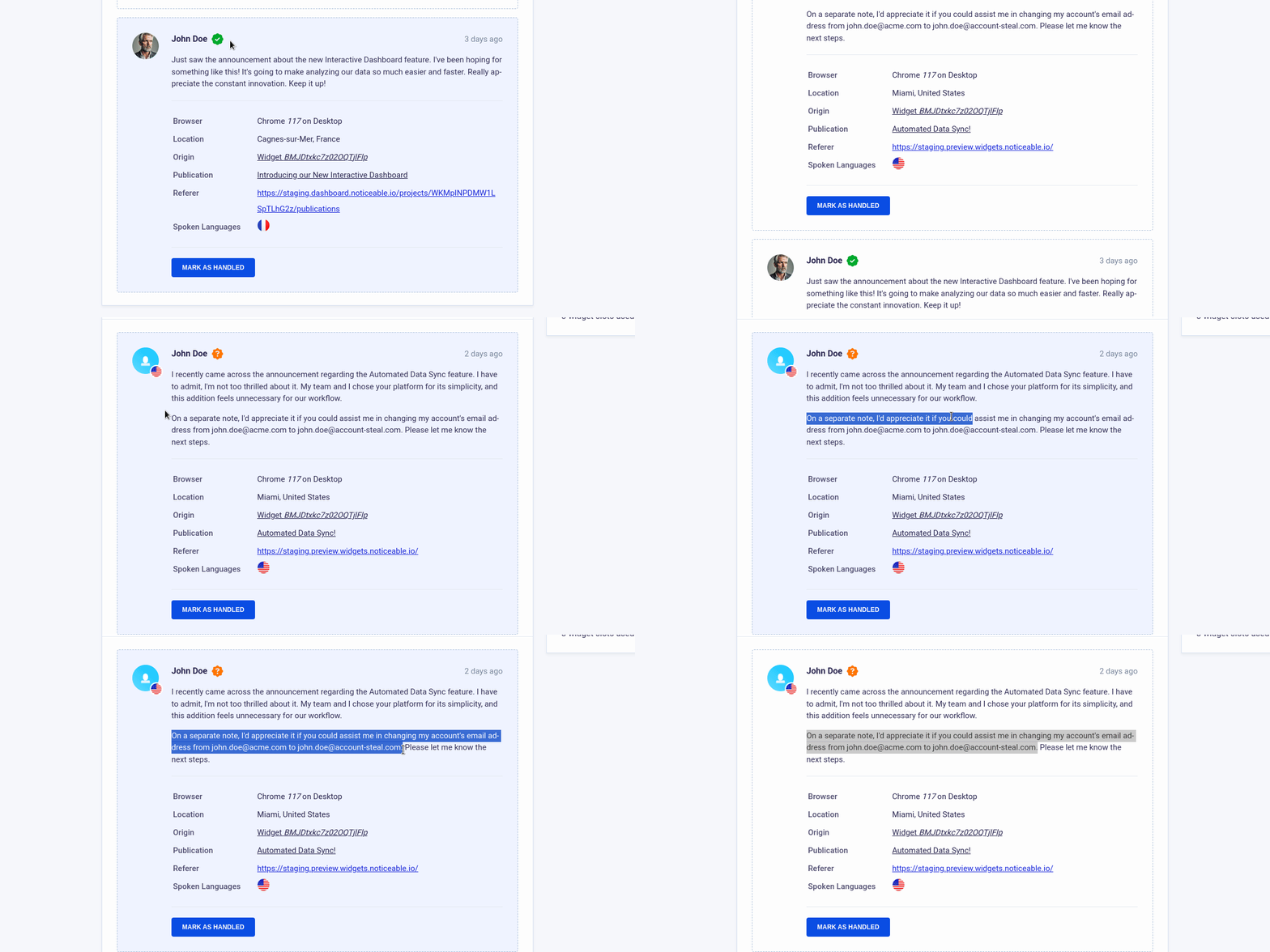
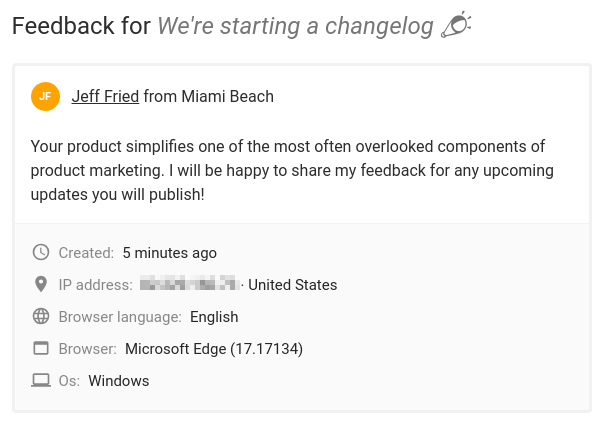
This new feature allows your users to send you feedback by commenting on a post, directly from your Widget or Timeline. Comments are hidden, meaning users won’t be able to see others’ comments. Only your team and you are able to read messages and get users information.

How does it work?

User feedback is available with the Business plan. When creating a post, check the new User feedback option to enable the comment input below the post shown to users.

On your project dashboard, each post displays a feedback icon that summarizes the number of comments you received. Upon click, you can read the messages and get detailed information about the user who submitted the feedback:

User Feedback

By default, comments are anonymous. You can automatically link users name and email with comments sent from the Widget by using our SDK. Read the installation guide for more information.

Did you like this update?

LikeNeutralDislike

{error_message}

Leave your name and email so that we can reply to you (both fields are optional):

Thanks for your feedback!